
CATEGORY REFERENCE

zs777b app for Android and iOS

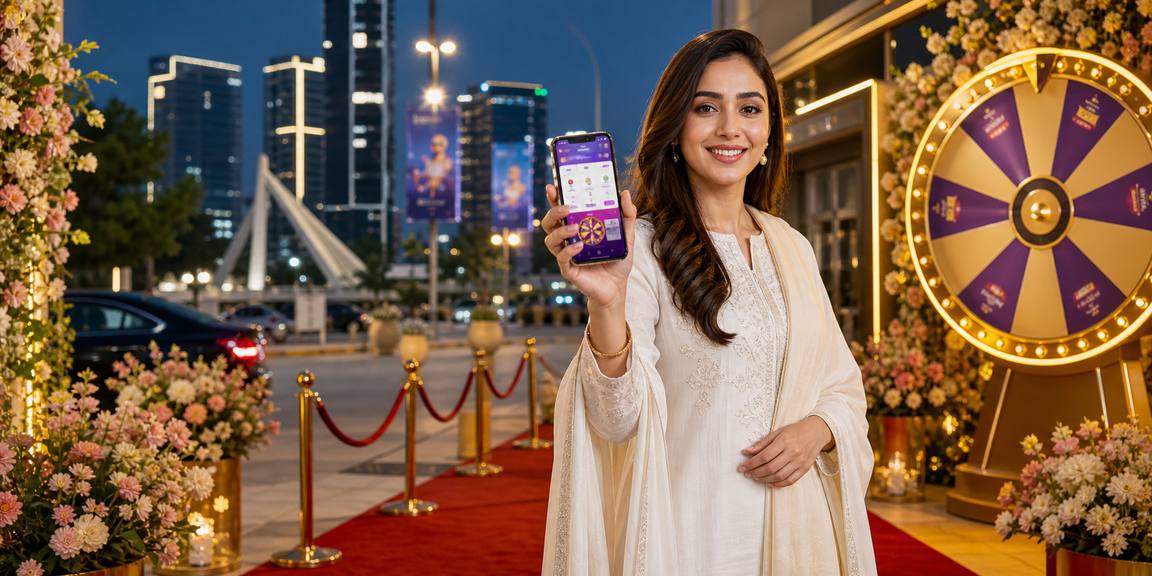
The zs777b app puts our slot rooms, live tables and betslip access on your phone with faster login, push alerts and a lobby built for Pakistan. Open your...

AndroidiOSAPK 30MBPush alertsBiometric login
zs777b zs777b app for Android and iOS
zs777b What the zs777b app adds

What the zs777b app adds

Our app is built for quick phone sessions without making you hunt through browser tabs. You can save slot favourites, open live tables with fewer taps, and keep a betslip ready while markets move. Fingerprint login helps you return faster, push alerts tell you when account actions need attention, and quick deposit access is placed inside the cashier screen rather than breaking

your session flow.

  • Slots on your phone
  • Live table access
  • Betslip movement

Phone tools built into the app

The app keeps everyday account actions close to the lobby, so your session feels direct rather than scattered. We focus on speed, screen comfort and secure...

Fast login

After your first account entry, the app remembers your device state and reduces repeat typing while still asking for checks when account risk signals change.

Biometric unlock

Supported Android and iOS phones can use fingerprint or face unlock, keeping access quick while your account still stays tied to your private device.

Dark mode

Use a darker interface for evening sessions, lower glare, and clearer lobby cards when you are checking tables or slots on a smaller screen.

Push alerts

Turn on alerts for account updates, session prompts and app messages, then manage them from your phone settings whenever you want fewer notifications.

Offline preview

If your network stalls, cached lobby tiles can still show recently viewed areas, so you know where to return once the connection is back.

Clean navigation

Slots, live tables, sportsbook and account screens sit in clear tabs, reducing extra taps and keeping the phone layout easy to scan.

zs777b Install the zs777b app in 3 steps

Install the zs777b app in 3 steps

Installing takes only a short phone flow. On Android, download the APK from our app page and allow installation for that file when your phone asks. On iOS, use the link shown for your device. After opening the app, sign in or create your account and confirm the security prompt before entering the lobby.

  • Download the file
  • Allow installation
  • Open the app
  • Set app preferences
DEVICE FIT

Phones and regions we support

Before installing, check that your phone has enough storage, current system updates and a stable connection. We keep the app light so it can run on common devices used across Pakistan. Access...

Auto-refresh hourly
zs777b Android version

Android version

92%

Android 8.0 or newer is recommended for smoother login, alerts and live table streaming.

zs777b iOS version

iOS version

97%

iOS 14 or newer is recommended for biometric access and stable notification handling.

zs777b RAM

RAM

96%

At least 3GB RAM helps the lobby, table streams and betslip screens stay responsive.

zs777b Storage

Storage

95%

Keep 150MB free for the app file, cache and future app updates.

zs777b Regions

Regions

94%

App access is for supported Pakistan regions where local law permits.

RTP percentages are informational reference values from provider documentation. Actual session outcomes vary.

SCREEN TOUR

Inside the zs777b mobile screens

The app opens with a compact lobby, not a long web page squeezed into a phone frame. You can move from slot favourites to live tables, then back...

zs777b mobile gaming
Live lobby preview
Quick betslip
Account access
Slot favourites
Alert centre
Cashier shortcut
APP HELP

Support paths for app issues

If the app does not install, update or open correctly, contact us from the help area before deleting account data. Our support team can check device version, download source, login status and alert settings. Keep your registered phone number nearby, because account recovery may require verification before we discuss private app or cashier activity.

Team online

App support chat

Use in-app chat when you can open the lobby; it sends device and session context so we can narrow down loading or login issues faster.

Email support

If the app will not open, email us with your device model, system version, screenshot and the step where the problem appeared.

Install help

Our support team can explain APK permission prompts, iOS link access and update checks without asking you to share your password.

APP SAFETY

How we protect app access

We treat the app as an account gateway, so download source, session checks and recovery steps matter. Install only from our app page, keep your phone locked, and avoid sharing screenshots that...

Signed app file

Our Android file is prepared for direct installation from our app page, helping you avoid altered copies passed around through unknown sharing links.

No outside store push

We do not ask you to search random app stores; use zs777b.pro/app so you know which file or device link to open.

Device checks

New phones can trigger added verification, especially when login location, device type or account behaviour differs from your usual pattern.

Account recovery

If you lose your phone, contact support so we can help secure access before you sign in again from another device.

Private alerts

Push messages are written to avoid exposing sensitive account details on your lock screen while still pointing you to needed action.

Update prompts

When an update is required, the app directs you back to our app page instead of sending you through random download mirrors.

App experience compared with browser

Mobile browser access is useful when you are checking the site from a shared or new phone. The app is better suited to repeat use on your own...

Login flowThe app can use biometric unlock on supported phones, while the browser usually needs more typing and may forget session data after updates.
Lobby speedApp navigation keeps common screens close, reducing repeated page loading when you switch between slots, tables, sportsbook and account areas.
NotificationsPush alerts work through the app, while browser reminders depend on your phone settings and may not appear as consistently.
Screen layoutThe app uses fixed tabs and thumb-friendly buttons, while browser pages can shift when address bars, keyboard panels or zoom settings change.
Update handlingApp updates come through our app page prompts, while browser access changes automatically whenever the mobile site is refreshed.
Private device useThe app suits your own locked phone; browser access is better for temporary checking when you do not want app data stored.
APP HIGHLIGHTS

Six reasons to install our app

The strongest reason to install is control: your account, lobby and alerts sit in one phone space. We designed the app for Pakistani mobile habits, including changing networks...

Local phone habits The interface is shaped for common Pakistan device sizes, thumb...
Favourites Mark slot rooms and return to them quickly, which helps...
Alert control Choose which app notifications matter to you, then adjust them...
Live table entry Table categories are placed in clear mobile cards, helping you...
Quick account tools Profile, cashier access, verification prompts and help paths are grouped...
Safer source Starting from zs777b.pro/app reduces the chance of installing a copied...

zs777b app questions answered

Use zs777b.pro/app on your phone and choose the Android APK or iOS option shown there. Avoid files shared through chats or unknown pages, because altered copies can put your account access at risk.

Android may ask you to allow installation from the browser used to download the APK. Approve it only for the zs777b file, then turn that permission off again if your phone offers the option.

Yes, supported phones can use biometric unlock after your first normal sign-in. The app may still ask for an extra check if you change device, reset settings or trigger unusual access signals.

The app is made for Wi-Fi and mobile data, but live table streams need a steadier connection than simple lobby browsing. If video stutters, switch networks or reopen the table after the signal improves.

Push alerts can tell you about account prompts, app messages and session-related actions. You can control them in the app and through your phone settings if you prefer fewer lock-screen notifications.

Contact support as soon as possible so we can help protect account access. We may verify your registered details before changing access or helping you sign in safely on another device.

Yes, browser access remains available through zs777b.pro for supported regions. The app is usually smoother for repeat phone use because it keeps alerts, saved navigation and biometric login in one place.